
TOOLS
Cable Bend Radius Calculator
Calculate the minimum bend radius for cables and wire harnesses using IPC/WHMA-A-620, NASA, or custom engineering requirements.
Input Parameters
Results
Minimum Bend Radius
80 mm
3.15 in
10 x Cable Diameter
- Source
- IPC/WHMA-A-620
- Type
- Flexible coaxial cable
- Requirement
- Class 1
Calculation Reference
- Bend Radius = Cable Outer Diameter x Multiplier
- NASA values can be optimum targets or minimum limits.
- IPC/WHMA-A-620 values are minimum requirements by product class.
IPC/WHMA-A-620 values are class-based minimum bend radius requirements. Use the cable manufacturer specification where required.
Quick Reference
i This calculator provides engineering guidance only. For critical applications, verify against the governing standard, manufacturer datasheet, drawing notes, and program-specific requirements.
quick guide
How to use the Cable Bend Radius Calculator
Four steps to get a minimum bend radius for your cable design.
1. Enter the cable’s outer diameter (OD) in mm or inches.
2. Pick a multiplier source: IPC/WHMA-A-620, NASA, or Custom.
3. Choose the cable type and your standard’s options.
4. Get results for the minimum bend radius in mm and inches.
Where do I find the cable diameter (OD)?
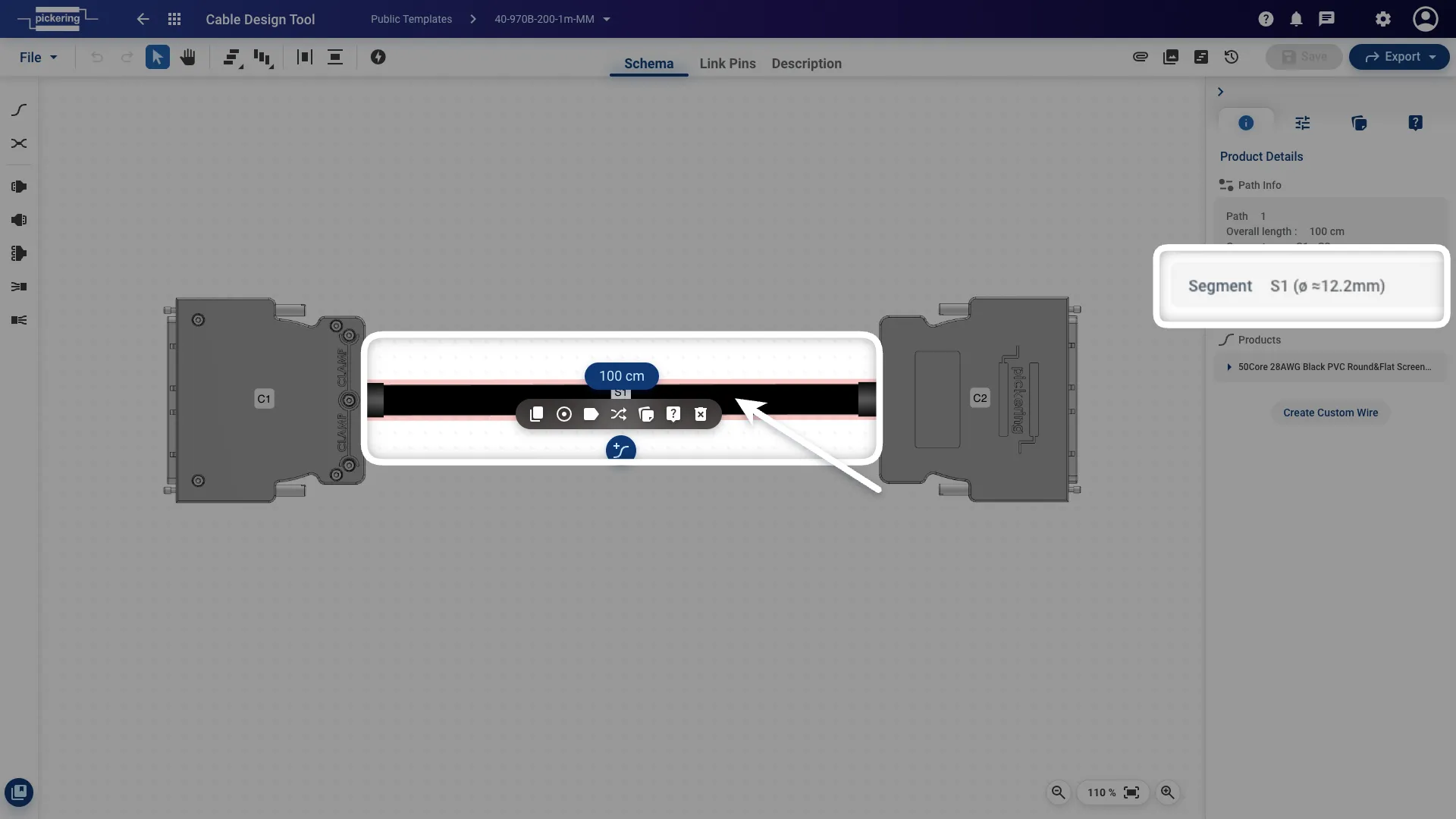
If you’re designing in the Pickering Cable Design Tool, the overall diameter is shown for every path. Select a segment and read the value in the Product Details tab in the right panel, for example Segment S1 (Ø ≈12.2 mm), as shown below.
Bend Radius Calculation example
In this example, the Cable Design Tool gives the cable an overall diameter of 12.2 mm, and in this case it’s a 50-core screened (shielded) cable.
Since it’s a shielded cable and we want to build the cable according to IPC Class 3, we set the source to IPC/WHMA-A-620 and the cable type to Shielded wire & cable. Under IPC, that type has a defined minimum at Class 3, which sets the multiplier to 5 × the outer diameter. The calculator simply multiplies the two:
12.2 mm × 5 = 61 mm
Minimum bend radius: 61 mm. This is the tightest radius you should bend this cable to, measured to the inside of the curve.
The diameter from the tool is approximate. It’s the calculated cross-section of the cores and doesn’t include the screening or any outer sleeving, which usually add around 1 mm. For a real build it’s safer to add that first: 13.2 mm × 5 ≈ 66 mm.
For more on bend radius and how to measure, calculate, and apply it, you can read our article here.